How to use DLSoundCloud
Download any SoundCloud song in 3 simple steps.
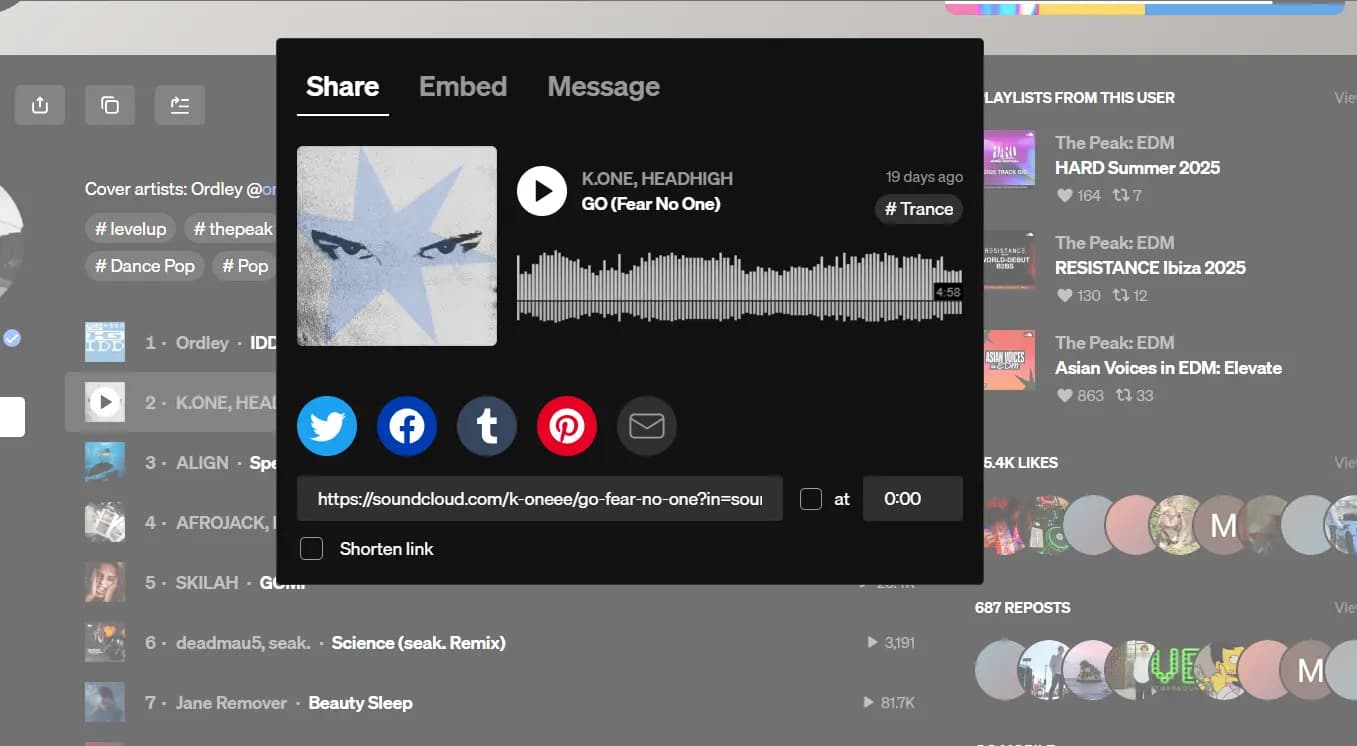
Step 1: Copy the SoundCloud link
Open the song on SoundCloud and copy its link.
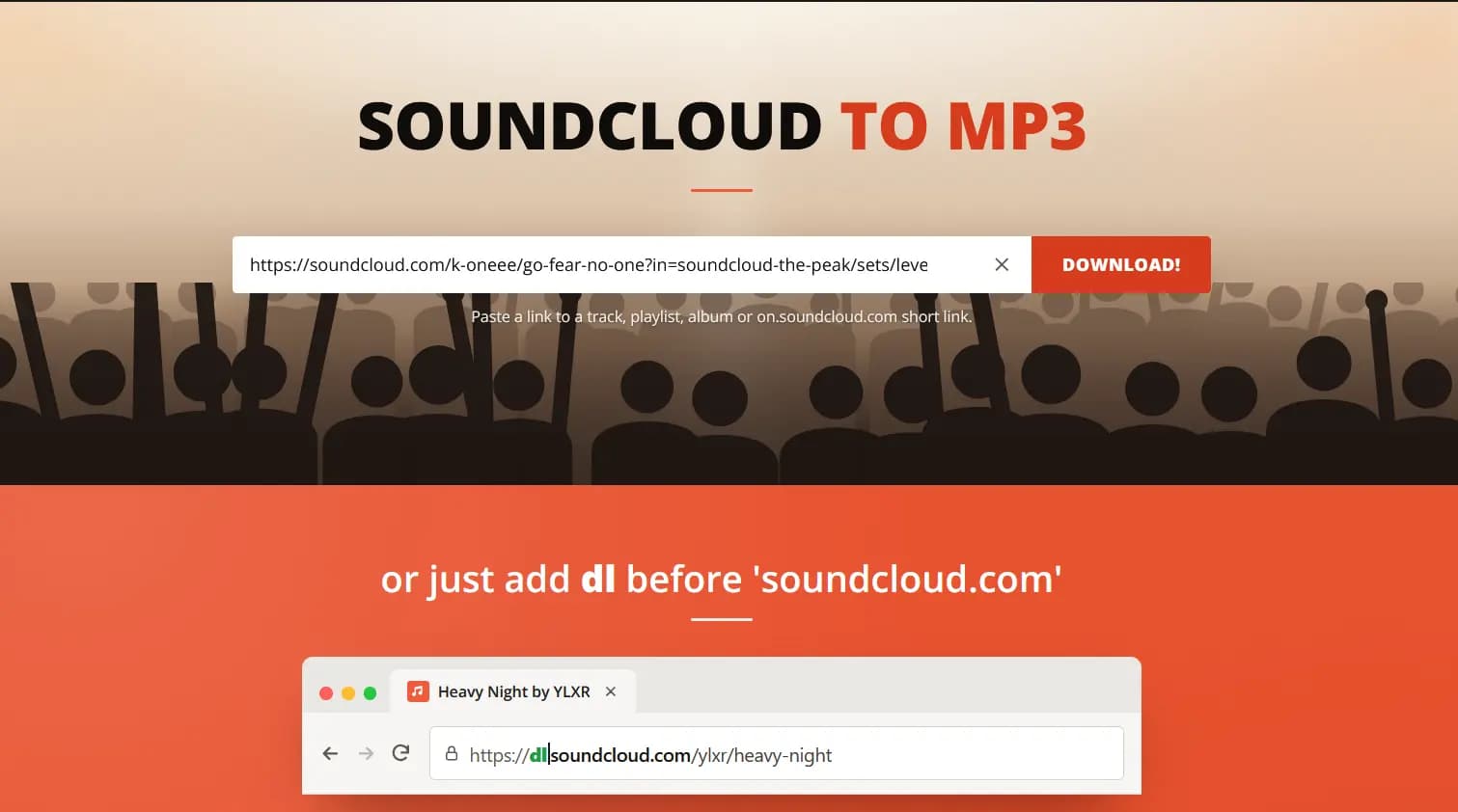
Step 2: Paste it on DLSoundCloud
Paste the link into the box on our home page and press Download.
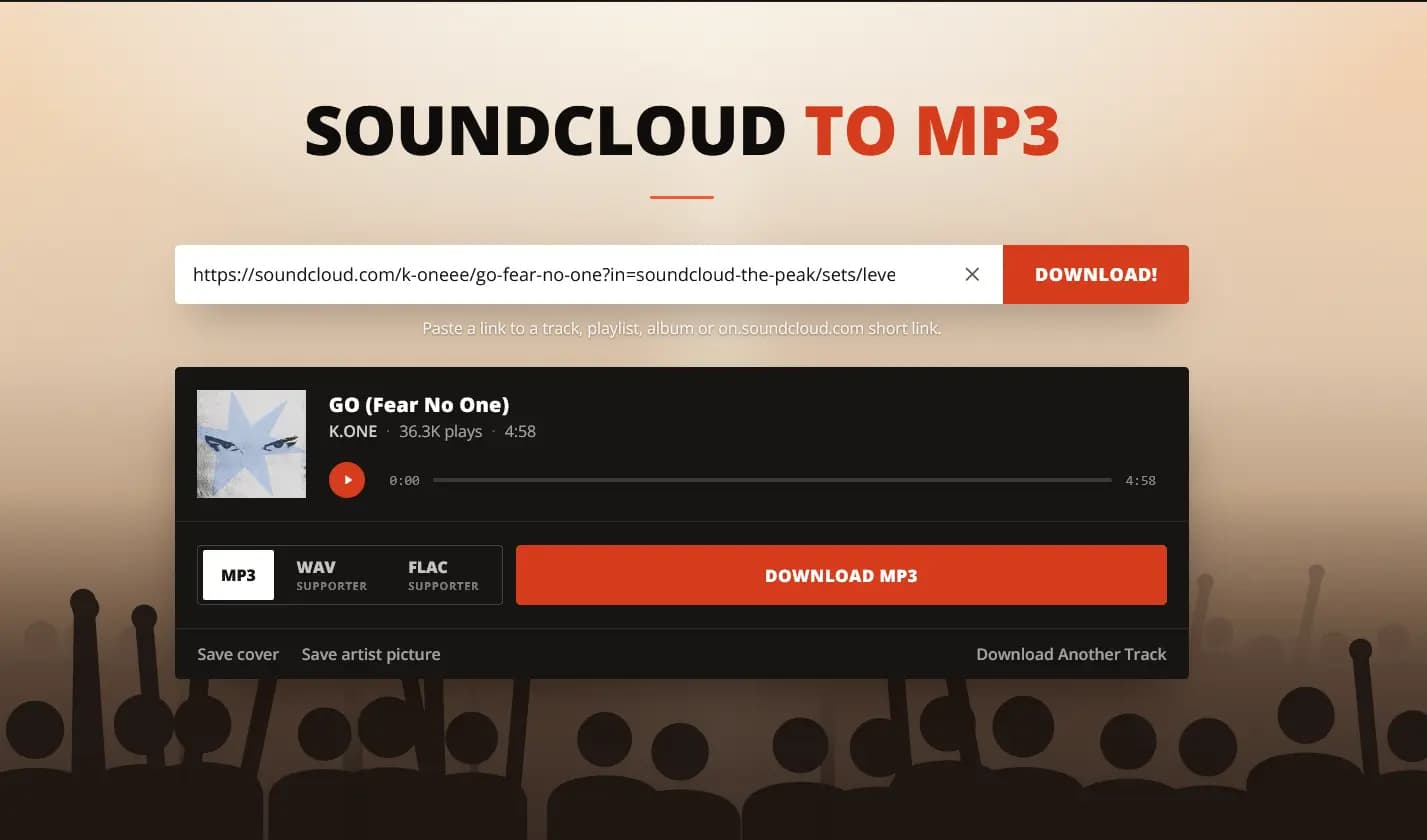
Step 3: Choose your format and download
Pick MP3 (or WAV and FLAC with Supporter) and press Download. Your file is saved with title, artist and cover art.
Tip: add dl before soundcloud.com in any link to skip steps 1 and 2.
Questions
How long does a download take?
Usually a few seconds. Long mixes and playlists take a little longer.
Do I need an app or account?
No. Everything works in your browser, with no signup.
Where are my files saved?
In your browser's Downloads folder. On iPhone, open Files → Downloads.
Can I download a whole playlist?
Yes. Paste a playlist link into the playlist downloader.